
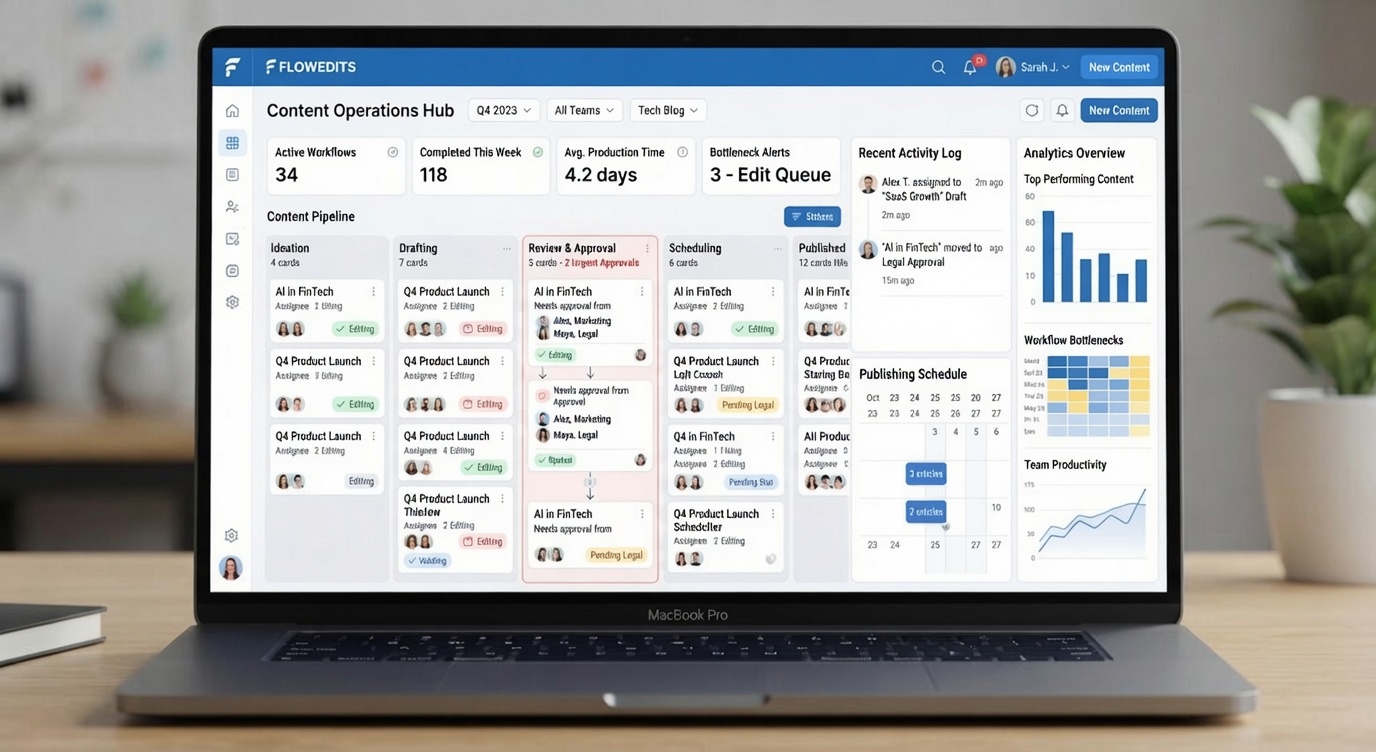
Every growing content team eventually discovers the same uncomfortable truth: writing content isn't what slows publishing down. It's the countless manual tasks that surround every article.
Assigning writers. Following up on reviews. Reminding stakeholders. Updating spreadsheets. Moving articles between workflow stages. Scheduling publication.
None of these tasks are difficult on their own. But together, they quietly consume hours every week and create exactly the kind of gaps where delays and human error creep in.
Editorial workflow automation helps teams eliminate this repetitive administrative work while keeping editorial decisions firmly in the hands of people. It isn't about replacing writers and editors. It's about making sure routine tasks happen consistently and on time so teams can spend their energy on the part of the job that actually requires human judgement: creating high-quality content.
In this guide, you'll learn what editorial workflow automation is, why manual processes stop scaling as teams grow, which tasks are worth automating first, and how to introduce automation without sacrificing quality or editorial control.
What Is Editorial Workflow Automation?
Editorial workflow automation uses predefined rules and technology to handle repetitive publishing tasks automatically, rather than relying on someone to remember to do them.
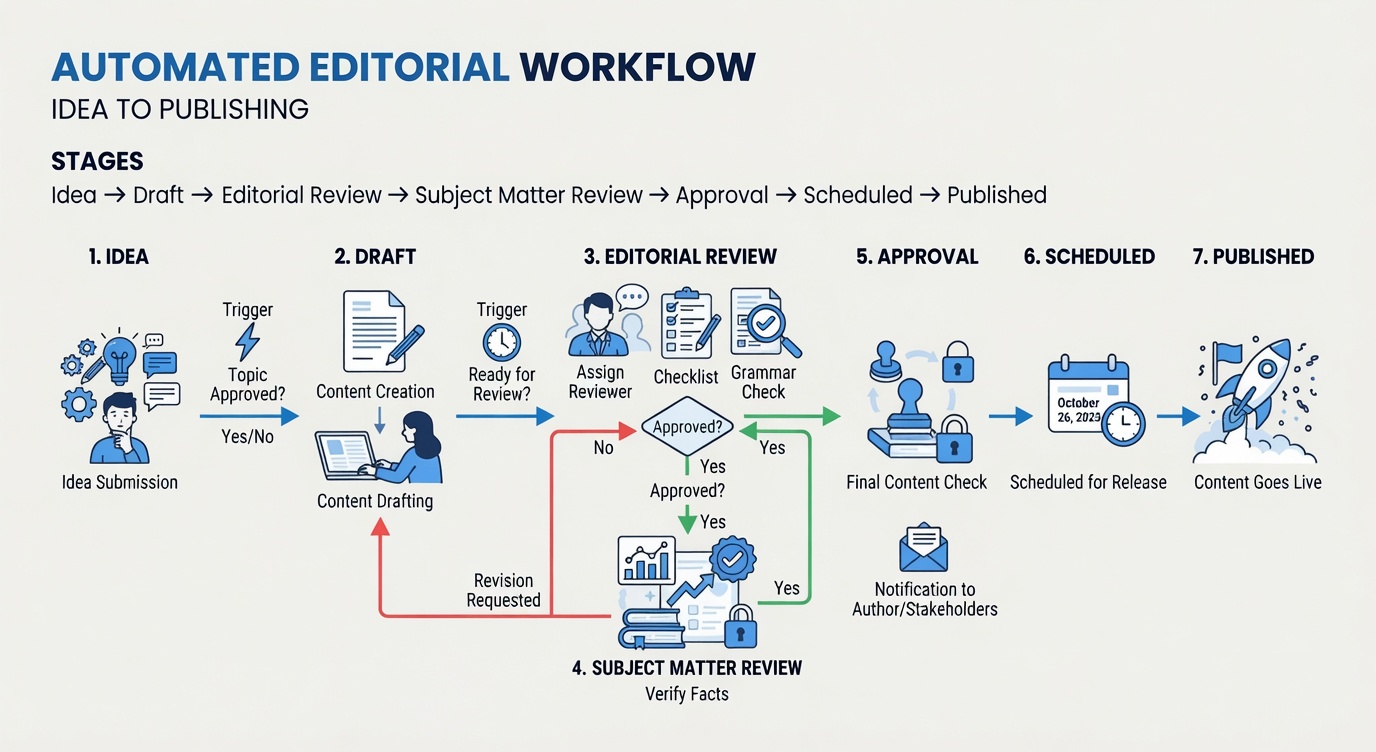
It's important to be clear about what this actually means. Automation does not replace editorial judgement. No tool decides whether an article is accurate, well written, or ready to represent your brand. What automation does manage is the predictable operational work around that judgement: assigning tasks, sending reminders, routing content for approval, updating workflow stages as review happens, and scheduling publication once everything has been signed off.
In other words, automation sits inside the broader editorial workflow as a support layer, not a decision-maker. It keeps the process moving so the people responsible for quality can focus on quality. If you haven't already, it's worth reading our guide on What Is an Editorial Workflow? A Practical Guide for Content Teams, which lays the foundation this article builds on.
Why Manual Editorial Processes Stop Scaling
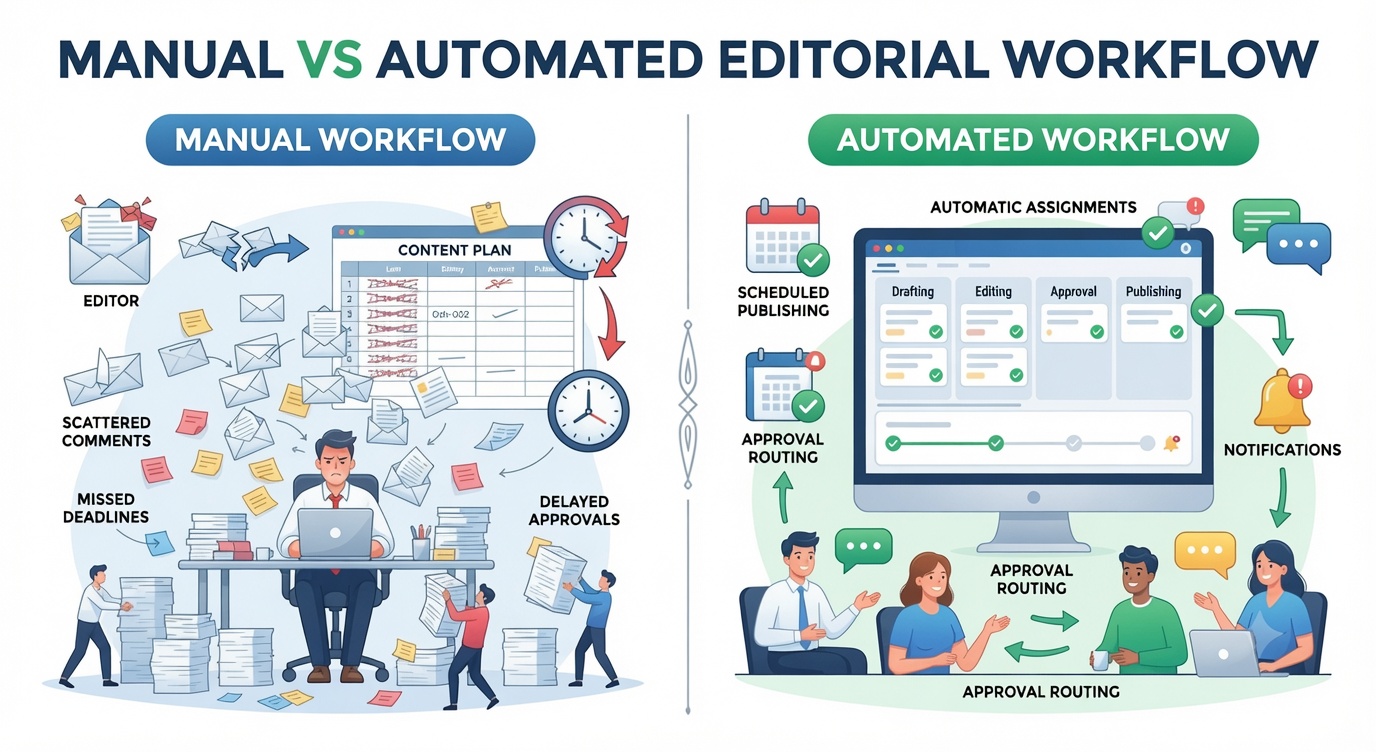
A manual process built for a three-person content team rarely survives contact with a thirty-person one. What felt manageable at a small scale starts to break down as several things happen at once.
Team size increases, and with it, the sheer number of moving parts. More contributors mean more writers to assign, more drafts in flight, and more people who need to know what's happening at any given moment. More approvals get added as organisations grow more cautious about quality, brand, and compliance. More communication channels appear as teams reach for email, chat, spreadsheets, and project management tools to compensate for a process that was never designed for this volume.
The result is administrative overload. Someone, usually an editor or content manager, ends up spending a disproportionate amount of their week just tracking down statuses, chasing approvals, and updating trackers by hand. And the greater the coordination burden, the greater the risk of missed deadlines, not because anyone is working slower, but because more things are falling through the cracks.
This is where manual coordination stops being a minor inconvenience and starts becoming a genuine bottleneck. An editor manually pinging five reviewers to check who's finished their pass. A writer waiting two days for an approval that simply got buried in someone's inbox. A publishing date that slips because nobody updated the calendar after a last-minute revision. None of these problems are unusual. They're simply what happens when growing content volume runs into a process that hasn't grown with it.
For a closer look at these patterns, see our guides on Content Workflow Bottlenecks: Causes and Fixes for Teams, How to Build an Editorial Workflow for a Growing Publication, and Content Approval Workflow: Best Practices for Content Teams.
Editorial Tasks That Should Be Automated
Not every part of the editorial process should be automated, but a surprising number of the tasks that eat up an editor's day are perfect candidates. Here's where automation tends to make the biggest difference.
Assigning Writers
Manually, someone has to review who's available, who has the right expertise, and who isn't already overloaded before handing off an assignment, often through a scattered mix of messages and mental notes. Automated assignment routing can handle this instead, distributing content based on workload, subject matter expertise, or predefined rules, so assignments go out the moment a topic is ready rather than whenever someone gets around to it.
Review Notifications
Manually, editors often don't know a draft is ready until they happen to check a shared folder or get a message from the writer. Automated review notifications close that gap by alerting editors the moment a draft is submitted so review can start immediately instead of sitting in a queue nobody's watching.
Approval Routing
Manually moving an article to the next reviewer usually means someone remembering who's next in line and manually forwarding it along. Automated approval routing removes that guesswork entirely, sending each article to the correct reviewer as soon as the previous stage is complete, in the right order, every time.
Deadline Reminders
Manually, reviewers miss deadlines simply because nobody reminded them, and the person managing the workflow has to chase people down individually. Automated deadline reminders take care of this by sending timely nudges before a review is due, keeping content moving without anyone needing to play traffic cop.
Workflow Status Updates
Manually, someone has to update a spreadsheet or project board every time an article moves to a new stage, which is easy to forget and quick to fall out of date. Automated workflow updates change the stage the instant a review is completed, so the status you see always reflects reality.
Editorial Calendar Synchronisation
Manually, calendar changes have to be made separately from workflow changes, which means the two often drift out of sync. Automated calendar syncing reflects workflow changes directly in the editorial calendar, so a delayed approval or a moved deadline updates the publishing schedule automatically instead of leaving it stale.
Publishing Schedules
Manually, someone has to remember to actually hit publish at the right time, which becomes unreliable once a team is juggling more than a handful of articles a week. Automated publishing schedules release approved articles at their scheduled time without anyone needing to be at their desk to do it manually.
Stakeholder Notifications
Manually, marketing, product, and sales teams often find out content has gone live well after the fact or not at all. Automated stakeholder notifications alert the relevant teams as soon as content publishes, so they can act on it right away instead of discovering it days later.
Workflow Reporting
Manually, understanding publishing speed or where bottlenecks are forming means pulling data together by hand, which most teams simply don't have time to do regularly. Automated workflow reporting generates ongoing visibility into throughput, review times, and recurring delays, turning what used to be guesswork into something you can actually measure.
Benefits of Editorial Workflow Automation
Taken together, these automations add up to a meaningfully different publishing experience.
Faster publishing. With administrative delays out of the way, content moves from draft to publication in less time, without cutting any corners on review.
Better visibility. Everyone involved knows exactly where a piece of content stands at any given moment, without having to ask.
Fewer bottlenecks. Work keeps moving on its own, instead of stalling every time it needs a human nudge to advance to the next stage.
Improved accountability. Because ownership at every stage is automatically clear, there's less ambiguity about who's responsible for what comes next.
Consistent processes. Every article follows the same defined path, regardless of who's writing it or how busy the team happens to be that week.
More time for creative work. Perhaps most importantly, editors spend less time managing logistics and more time actually improving the content itself, which is where their expertise adds the most value.
What Should Never Be Automated?
It's worth being direct about this, because it's where a lot of teams get nervous about automation in the first place: some parts of editorial work should never be handed over to a tool.
Automation should never replace editorial judgement, creative writing, fact-checking, legal review, strategic planning, brand voice decisions, or final publication approval. These are the tasks that require genuine human expertise, context, and accountability, and no set of rules can substitute for that.
The goal of automation was never to remove people from the equation. It's to support editors by clearing away the repetitive work that surrounds their judgement, so that judgement gets applied where it actually matters.
Common Automation Mistakes
Automation done well is a genuine advantage. Automation done carelessly can create new problems on top of the old ones. A few mistakes come up again and again.
Automating a broken workflow. Automation speeds up whatever process you give it, including a process that's poorly designed to begin with. Fix the underlying workflow first, then automate it, rather than the other way around.
Too many notifications. It's tempting to automate alerts for everything, but flooding contributors with notifications quickly trains them to ignore all of them, including the ones that matter.
Removing human oversight. Automating the routine parts of a workflow doesn't mean critical decisions can be automated too. Those still need a person with real editorial judgement behind them.
Overcomplicated automation rules. Complex, highly conditional rule sets are hard to maintain and even harder to troubleshoot when something goes wrong. Keep workflows as simple as they can be while still doing the job.
Ignoring performance metrics. Automation should be measured, not just implemented and forgotten. If you're not tracking whether it's actually improving efficiency, you have no way of knowing whether it's working.
How to Introduce Editorial Workflow Automation
Trying to automate everything at once tends to backfire. It overwhelms the team, makes it hard to isolate what's actually working, and increases the odds that something important gets automated before it's properly understood. A phased approach tends to work far better.
Phase 1: Automate reminders and notifications. Start with the lowest-risk, highest-impact changes, keeping people informed without touching how decisions actually get made.
Phase 2: Automate assignments. Once notifications are running smoothly, move on to distributing work automatically based on workload and expertise.
Phase 3: Automate approval routing. With assignments handled, start routing content to the correct reviewer automatically as each stage completes.
Phase 4: Automate publishing. Once the workflow up to approval is reliable, let the system handle scheduled publication of approved content.
Phase 5: Automate reporting and analytics. Finally, layer in automated reporting so the team has ongoing visibility into how the whole process is performing.
Gradual adoption gives a team time to trust each stage of automation before adding the next, and it makes it far easier to spot and fix problems early, rather than untangling them after the entire workflow has changed at once.
Choosing Software for Workflow Automation
Not every tool marketed for content teams is actually built for editorial automation. When evaluating options, look for software that offers custom workflow stages, role-based permissions, automated notifications, approval routing, editorial calendars, workflow analytics, version history, and integrations with the other tools your team already relies on.
The right platform should make automation feel like a natural extension of how your team already works, not a separate system you have to manage on top of everything else. For a deeper comparison of what to look for, see our guides on Editorial Workflow Management Software: What It Is and How to Choose the Right Platform and Editorial Workflow Tools: How to Choose the Right System for Your Content Team.
How Narranta Supports Editorial Workflow Automation
Narranta helps teams automate the repetitive parts of editorial work without giving up control over content quality or editorial decisions. Custom workflow stages let teams define exactly how content should move from draft to publication, while role-based approvals make sure the right people are looped in at the right stage, automatically.
Everything happens inside a centralised workspace, so collaboration, notifications, and status updates don't get scattered across half a dozen tools. Full workflow visibility means everyone can see where an article stands without asking, and editorial calendars stay synced with the workflow itself rather than needing separate manual updates. When an article is genuinely ready, publishing readiness is clear at a glance, so teams can move from final approval to live content without unnecessary delay.
The goal isn't to add another system for teams to manage. It's to remove the manual coordination that slows editorial teams down while keeping every meaningful decision exactly where it belongs: with the people doing the work.
Conclusion
Editorial workflow automation is not about removing people from the publishing process. It is about removing the repetitive administrative work that slows teams down in the first place.
When implemented thoughtfully, automation helps content teams publish more consistently, reduce manual coordination, and spend more time creating content that actually delivers value to readers. It works best introduced gradually, applied to the tasks that genuinely benefit from consistency, and kept well away from the decisions that require real editorial judgement.
The most successful organisations combine structured editorial workflows with targeted automation, making sure every article moves efficiently from idea to publication without ever sacrificing quality along the way.